Automatic claiming is one of SwiftMiner's core jobs. The app watches progress, refreshes campaign state, and claims rewards when Twitch marks them as ready. Completed claims appear in the Drops view and Activity Log.
Enable automatic claiming
Auto-claiming is managed from SwiftMiner's mining settings. Open Settings, choose the Mining section, and make sure automatic reward claiming is enabled for the accounts you want SwiftMiner to manage.

How the claim flow works
- Progress reaches 100%:
Twitch marks the reward as ready to claim after the required watch time completes.
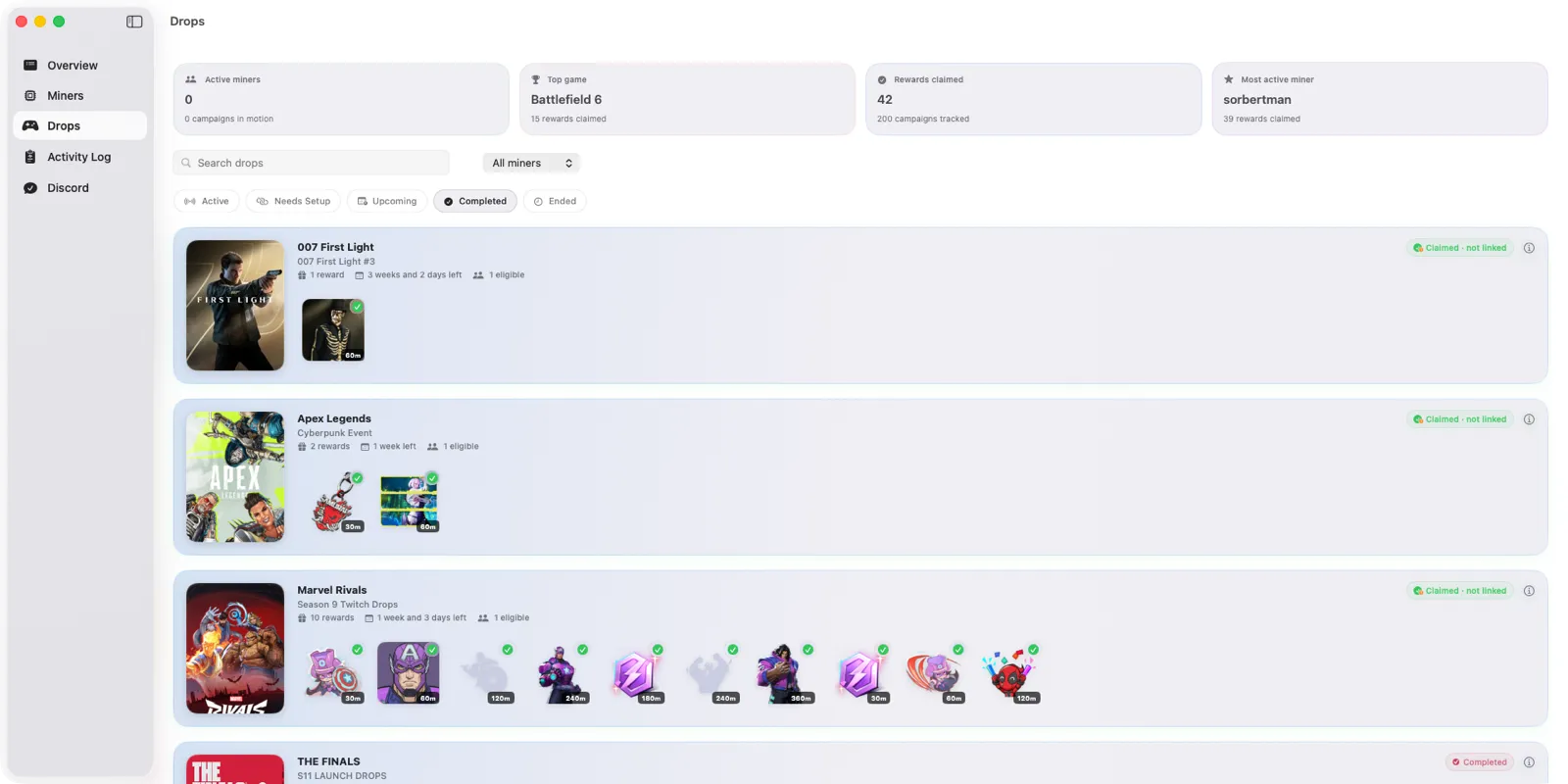 Claimed rewards appear in the Drops tab with a green check, so you can confirm a claim landed without opening Twitch.
 - SwiftMiner refreshes inventory:
The miner checks Twitch inventory and campaign data so it can find claimable rewards accurately.
- The reward is claimed:
SwiftMiner submits the claim and records the result in the Activity Log.
- Next reward starts:
If the campaign has more rewards, SwiftMiner continues tracking the next drop.

Why auto-claiming may pause
Claiming can pause when a Twitch session expires, a game requires a publisher account link, a reward requires a paid subscription, or Twitch temporarily returns incomplete campaign data. The troubleshooting guide explains how to recover from these states.
Keep auto-claiming reliable
For the best results, keep SwiftMiner updated, avoid watching Twitch with the same account elsewhere, and check account-link warnings for games that require external publisher setup. The best practices guide covers the habits that keep long-running sessions healthy.